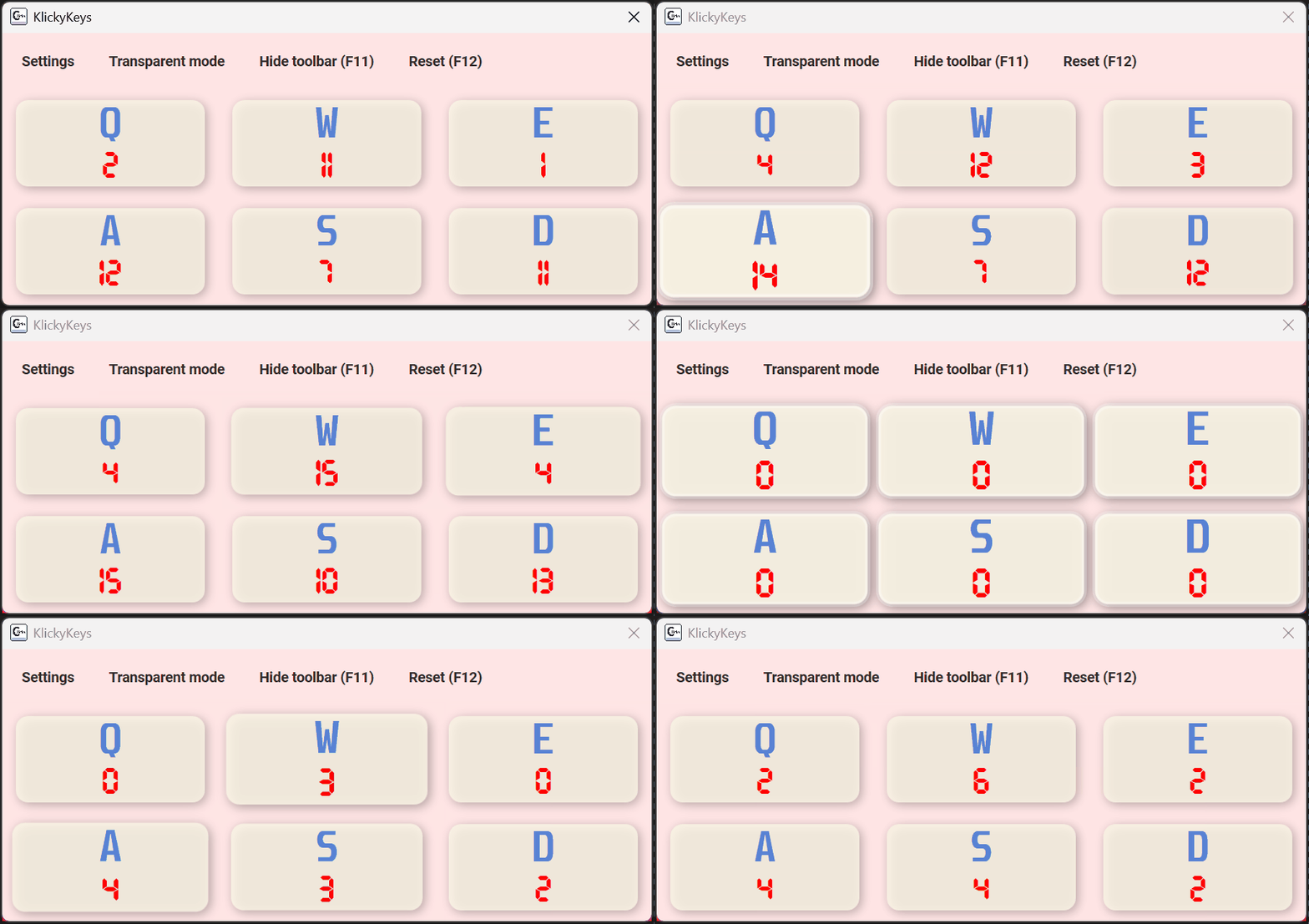
ClickyKeys tracks how many times you press selected keys and mouse buttons
and shows them in a fully customizable panel – perfect for streams,
recordings, and general geek fun.
ClickyKeys is a free, source-available Windows desktop application that tracks
and displays the number of times you press selected keyboard keys and mouse
buttons. It is designed for streamers, content creators, and gamers who want
a lightweight, customizable keystroke counter overlay in OBS or similar
broadcasting software. ClickyKeys runs entirely locally – no data is collected
or sent anywhere. It is written in C# and released under the Elastic License v2.
What can ClickyKeys do?
A small hobby project that turned out surprisingly useful.
Counting
Any keys and mouse buttons
Pick keyboard keys and mouse buttons you want to track.
Give every key its own label (e.g. Jump, Reload).
Counters update in real time.
Look
Customizable panel
Change button size and layout.
Match background and text colors to your overlay.
Pick your favourite font and size.
Streaming
OBS friendly
Background color designed for easy transparency
even without chroma key.
Perfect as a small key panel in the corner of your stream.
Profiles
Save & load style profiles
Create multiple style configurations and switch between them instantly.
Perfect if you stream different games or use different overlays.
Statistics
Local key press statistics
Track your long-term key usage with built-in local statistics.
All data stays on your device – no cloud, no account needed.
Source-available
Elastic License v2 & C#
Written in C# under the Elastic License v2 – inspect the code,
learn from it, or extend it.
Download ClickyKeys
You can always find the latest releases on GitHub.
You can also host the file on your own server and link it directly from here.
Official distribution
Recommended
Simple solution - single click download from Microsoft Store.
If Windows SmartScreen flags the file, click More info → Run anyway. This is a common false positive for small unsigned C# apps — the full source code is available on GitHub.
Get started in 30 seconds
Download the app from the section above.
Run ClickyKeys.
Click the panel and choose keys you want to track.
Set a label on each button (e.g. Jump, Reload).
In OBS, add a window source, set chroma key or click transparent mode and position the overlay.
FAQ
Common questions about ClickyKeys.
Does ClickyKeys store or send my data?
No. ClickyKeys only counts your key presses and mouse clicks locally
and shows them in the panel. No data is stored or transmitted anywhere.
The source code is available – you can verify it yourself in the repository.
Which systems are supported?
Right now the project is focused on Windows (desktop app).
If you want to help with ports to other systems – reach out via GitHub.
Can I change how the panel looks?
Yes. You can change layout, button sizes, colors, font
and enable the experimental rainbow theme.
Is ClickyKeys free?
Yes, ClickyKeys is completely free and source-available under the Elastic License v2.
It is available on the Microsoft Store and as a portable download on GitHub.
How do I use ClickyKeys with OBS?
Run ClickyKeys and select the keys you want to track.
In OBS, add a Window Capture source pointing to the ClickyKeys panel.
Use the built-in background color for easy chroma key, or enable
transparent mode to overlay it directly on your stream.
I want to report a bug or feature idea.
The best way is to open an issue on GitHub in the
Reksaku/ClickyKeys repository.
Any plans for the future?
More advanced statistics are on the roadmap with automatic game detection.
Maybe some day there will be also an online library to share and download ClickyKeys profiles.
You can follow progress and discussions in the repository.